Why Consumer Routers Fail in Smart Homes
Consumer networking equipment — the router your ISP gave you, or even a high-end mesh system from Eero or Google — is designed for a simple use case: connect phones, laptops, and a TV to the internet. That is fundamentally different from what a smart home demands.
A Lutron lighting processor, a Crestron control system, a network of security cameras, a distributed audio system, and a fleet of smart thermostats all share the same physical network. They generate constant multicast and broadcast traffic. They require low-latency communication with each other. And they are sensitive to network interruptions in ways that a laptop browsing the web is not.
When a consumer router hits its device limit — typically 30-50 simultaneous connections — it starts dropping devices. Lights become unresponsive. Cameras go offline. Audio streams buffer. The homeowner blames the smart home system, but the actual problem is the network underneath it.
Consumer mesh systems add another problem: they route all traffic through a single backhaul, creating a bottleneck. When a 4K security camera stream and a Sonos multiroom audio session compete for the same wireless backhaul, both suffer.
VLANs: Keeping Systems Separated
VLAN stands for Virtual Local Area Network. It is the single most important concept in residential network design, and consumer routers do not support it.
A VLAN creates isolated network segments on the same physical infrastructure. In a properly designed smart home network, you would typically see:
- •A management VLAN for Crestron, Lutron, and Savant processors — isolated from all other traffic, with no internet access.
- •A security VLAN for cameras, door locks, and access control — isolated and firewalled so a compromised camera cannot access your personal devices.
- •An AV VLAN for distributed audio/video systems — configured with multicast optimization so Sonos, Dante, and AV-over-IP traffic flows without congestion.
- •An IoT VLAN for smart thermostats, motorized shades, and other IP-connected devices — segmented to contain any device with poor security practices.
- •A guest VLAN with internet-only access — completely walled off from every internal system.
- •A primary VLAN for personal devices — phones, laptops, tablets with full internet and controlled access to AV systems.
Without VLANs, every device on your network can see and potentially communicate with every other device. A compromised smart thermostat could theoretically access your security cameras. A guest on your WiFi could discover your Crestron processor. VLANs eliminate these attack vectors while also improving performance by reducing broadcast domain size.
Power over Ethernet: One Cable, Two Jobs
PoE — Power over Ethernet — delivers both data and electrical power through a single Ethernet cable. It is the standard for professional installations and the reason enterprise switches are non-negotiable in modern homes.
Devices that run on PoE in a typical luxury home:
- •WiFi access points — mounted on ceilings for optimal coverage, powered by the Ethernet cable that also carries data.
- •Security cameras — both indoor and outdoor. PoE eliminates the need for separate power runs to every camera location.
- •Door stations and intercoms — UniFi Protect doorbells, Crestron door stations, and similar devices.
- •Crestron touchpanels — wall-mounted and tabletop panels powered and connected over a single cable.
- •VoIP phones — powered directly from the network switch without wall adapters.
- •Access control readers — door locks and card readers at entry points.
A PoE switch delivers up to 30 watts per port (PoE+) or 60-90 watts per port (PoE++). A 48-port PoE switch in a residential rack can power every camera, access point, and touchpanel in a large home from a single piece of equipment. No wall warts, no dedicated electrical circuits to each device, no exposed power cables.
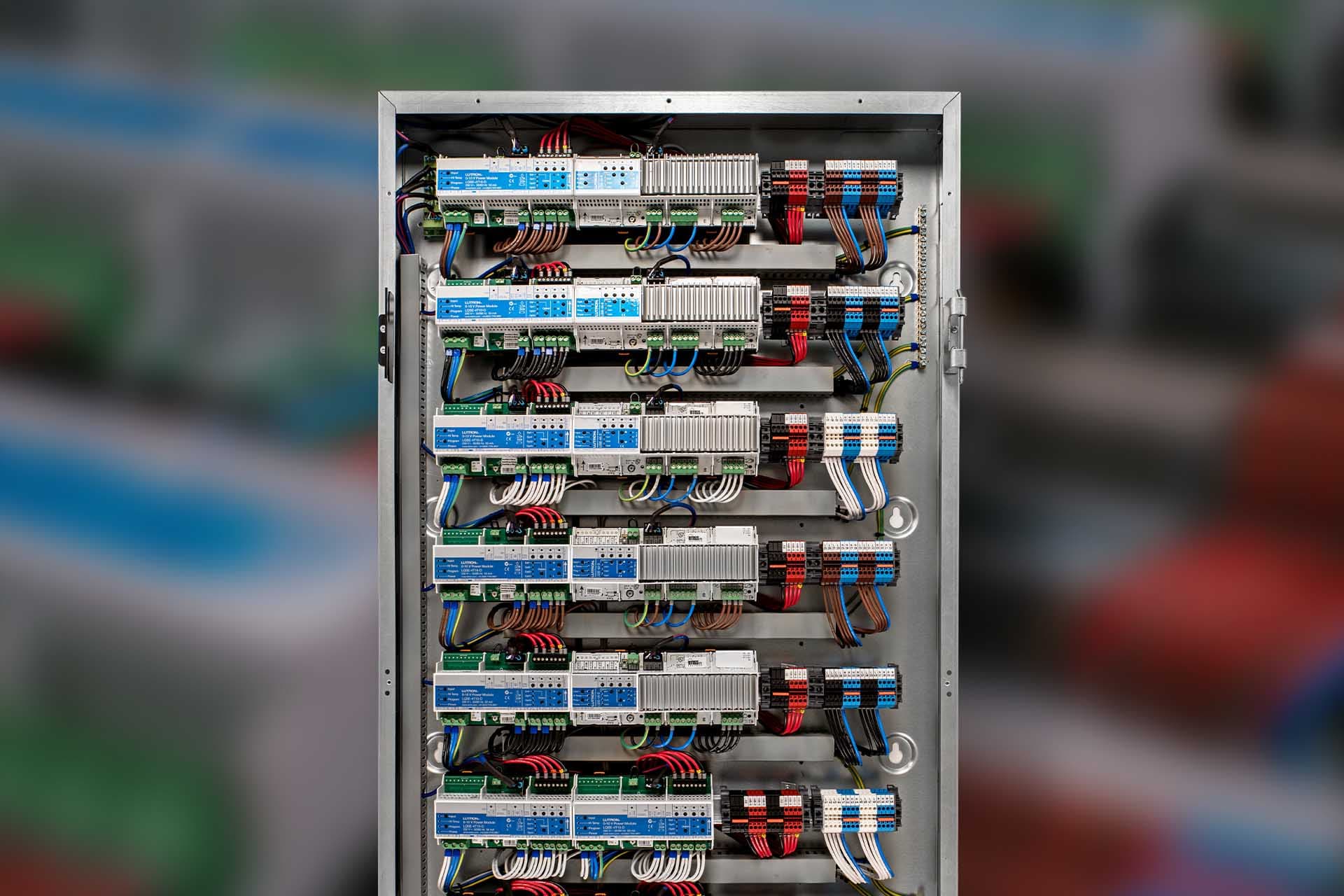
Managed Switching: The Backbone
A managed switch is fundamentally different from the unmanaged switch you can buy at a consumer electronics store. Unmanaged switches forward all traffic to all ports with no intelligence. Managed switches give you control over every aspect of how data flows through your network.
In a residential AV installation, managed switches provide:
- •VLAN tagging — assigning each port to the correct network segment so a camera port only carries security VLAN traffic.
- •IGMP snooping — essential for multicast audio/video. Without it, Sonos and Dante traffic floods every port on the switch. With it, multicast streams are delivered only to ports that have requested them.
- •Quality of Service (QoS) — prioritizing real-time AV traffic over bulk data transfers so a large file download does not cause audio dropouts.
- •Link aggregation — bonding multiple ports together for high-bandwidth connections between switches or to a NAS.
- •Port monitoring and diagnostics — real-time visibility into bandwidth usage, error rates, and device status on every port.
- •Storm control — preventing broadcast storms from a misbehaving device from taking down the entire network.
For most residential installations, we deploy UniFi switches. They offer enterprise features at a fraction of the cost of Cisco Catalyst or Meraki, with a management interface that allows remote monitoring and configuration without a networking degree.
High-Density WiFi: Coverage Is Not the Problem
Most WiFi problems in large homes are not coverage problems — they are capacity problems. A single access point can cover a large area, but it can only serve a limited number of simultaneous clients before performance degrades. In a home with 50+ WiFi devices, you need multiple access points not for range but for client distribution.
Enterprise access points — UniFi U7 Pro, Cisco Catalyst, or Ruckus — support technologies that consumer equipment cannot match:
- •Band steering — automatically directing devices to the optimal radio band (2.4 GHz, 5 GHz, or 6 GHz) based on device capability and current load.
- •Client isolation per VLAN — a guest device on the guest WiFi network is physically separated from your smart home VLAN at the radio level.
- •Minimum RSSI thresholds — forcing devices to connect to the nearest access point instead of clinging to a distant one with a weak signal.
- •Channel planning — enterprise controllers automatically assign non-overlapping channels across all access points to eliminate co-channel interference.
- •WiFi 6E and WiFi 7 — access to the 6 GHz band provides wide, interference-free channels that consumer mesh systems cannot utilize effectively.
Proper access point placement is designed during the construction or renovation phase. Every AP location is mapped to a structured cable run back to the network rack. The result is seamless coverage with zero dead spots and enough capacity to handle a house full of guests streaming simultaneously.
The Network Rack: Where It All Comes Together
Every cable in a properly wired home terminates in a central network rack — typically a 42U floor-standing rack or a 12-18U wall-mounted enclosure in a utility room. This rack is the nervous system of the home.
A typical residential network rack contains:
- •A firewall/router — UniFi Dream Machine Pro, Cisco Meraki MX, or similar. Handles inter-VLAN routing, firewall rules, VPN, and internet failover.
- •Core switch — a 48-port managed PoE switch serving as the backbone. All structured cables terminate here.
- •Secondary switches — additional switches for areas with high device density, connected to the core via 10G SFP+ uplinks.
- •Patch panels — organized termination points for every Ethernet drop in the house. Properly labeled and documented.
- •UPS — uninterruptible power supply protecting all network equipment from power events. The network stays online during outages.
- •Cable management — horizontal and vertical organizers keeping every cable traceable and serviceable.
The difference between a consumer network and an enterprise network is not just the equipment — it is the infrastructure behind it. Structured cabling, proper termination, labeled patch panels, and documented network maps are what separate a network that works from one that works reliably for the next 20 years.
Remote Management and Monitoring
One of the most significant advantages of enterprise networking is remote management. Consumer routers require physical access to troubleshoot — someone has to be in the house to reboot the router, check connections, or update firmware.
Enterprise platforms like UniFi and Meraki provide cloud-based management dashboards that give your integrator complete visibility into your network from anywhere. We can see which devices are online, monitor bandwidth usage, identify bottlenecks, push firmware updates, and diagnose issues — all without stepping foot in your home.
When a client calls and says their lights are not responding, we can check the network in real time. If the Lutron processor lost its network connection, we see it immediately and can often resolve the issue remotely within minutes. That level of proactive support is impossible with consumer equipment.
When to Invest in Enterprise Networking
If you are building a new home or undertaking a major renovation, enterprise networking should be designed into the project from day one. Running structured cabling during construction is a fraction of the cost of retrofitting it later.
If you are in an existing home and experiencing WiFi dead spots, device dropouts, or smart home reliability issues, a network upgrade is the single most impactful investment you can make. It will not just fix the WiFi — it will improve the performance of every connected system in the house.
The network is the foundation that every other technology system depends on. Lighting, shading, security, audio, video, and climate control all run on the network. If the foundation is weak, nothing built on top of it will perform reliably.
Ready for a Network That Works?
We design and install enterprise networks for luxury homes across the New York metro area. From new construction to full retrofits, we will build a network that supports every system in your home — today and for years to come.
Related Reading