
UniFi Certified Partner
Enterprise Networks. You Own Every Bit of It.
Upgrade from licensed enterprise platforms to license-free enterprise hardware — with better support.
Cisco, Meraki, and Aruba charge you monthly for your own network. We install UniFi Enterprise — the same hardware used in stadiums and campuses — with zero licensing fees. Enterprise Fortress Gateway, 10GbE backbone, E7 Wi-Fi 7 access points, and an on-premises controller. Cloud is optional, secure proxy with remote access and optional services configured to the agreed data-handling requirements.
Enterprise-Grade. Clear Ownership.
The Hardware We Install
Enterprise Fortress Gateway. Enterprise campus switches with 10G uplinks. E7 Wi-Fi 7 enterprise access points. Everything you buy is specified for your project. Core local network management does not require a recurring software license; optional services and managed support are quoted separately.
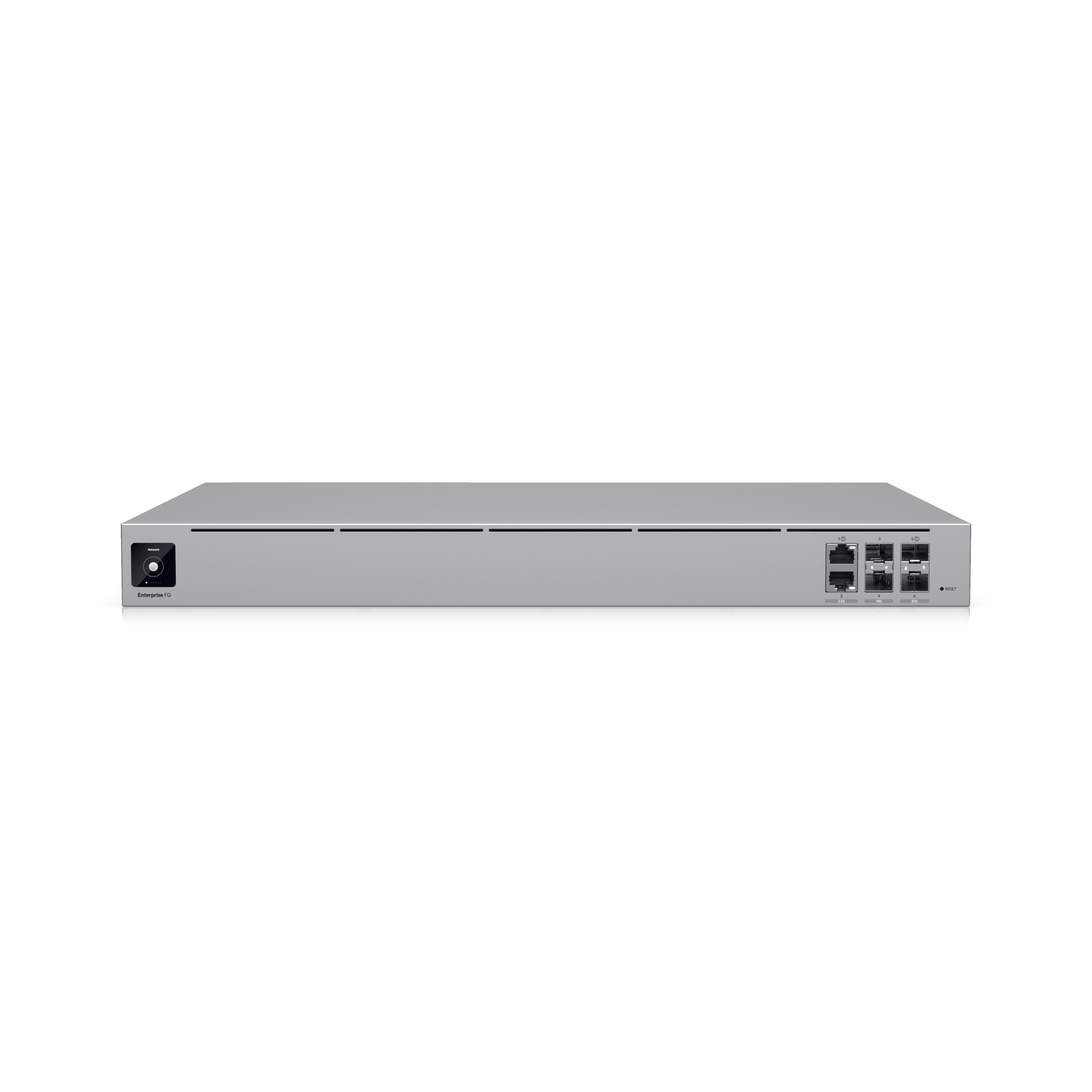
EFG Enterprise Fortress
Enterprise flagship gateway — 10G WAN, IDS/IPS, site-to-site VPN, threat intelligence, deep packet inspection
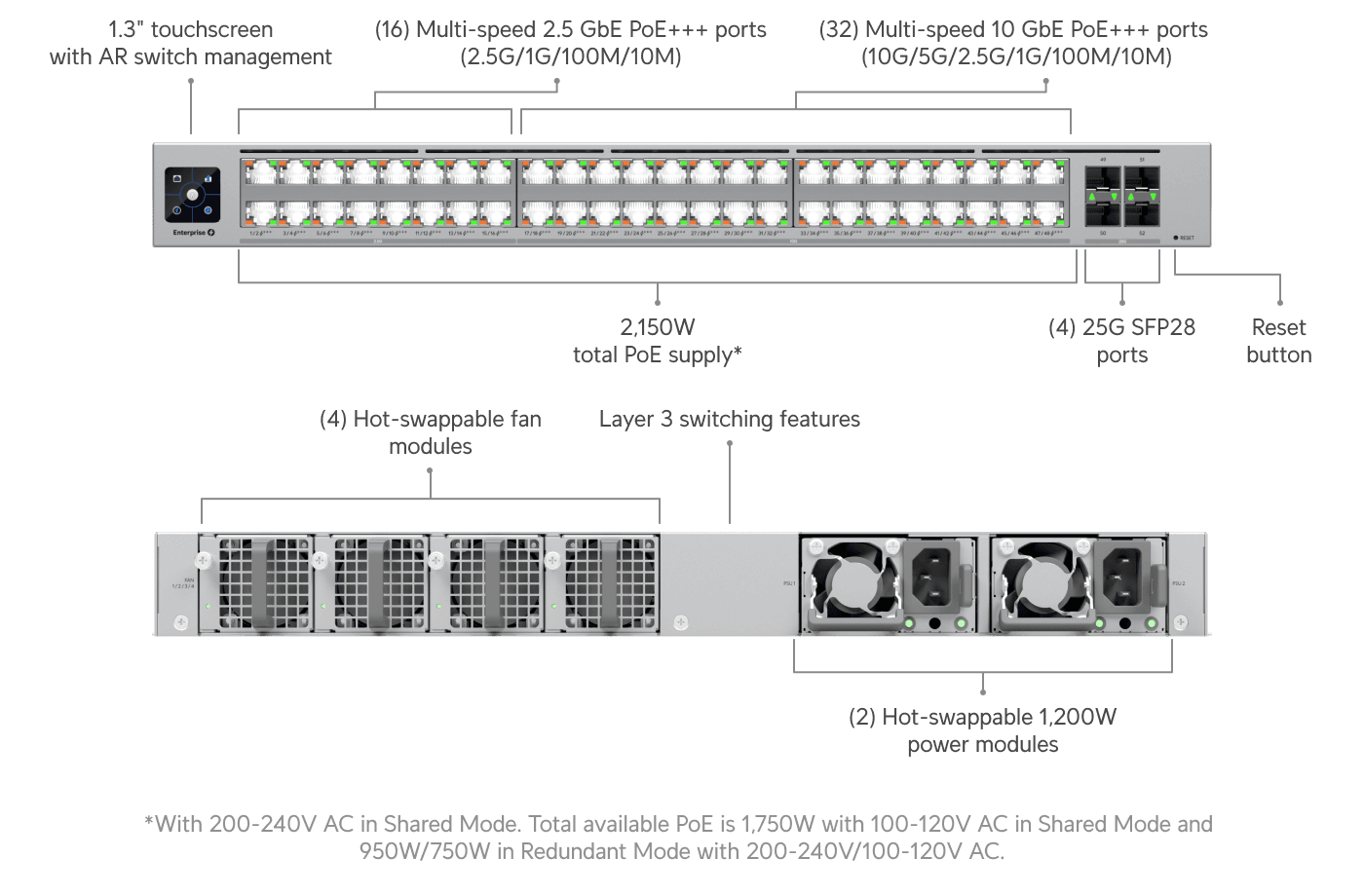
ECS 48 PoE
Enterprise Campus Switch — 48 PoE++ ports, 10G SFP+ uplinks, designed for AV-over-IP backbones
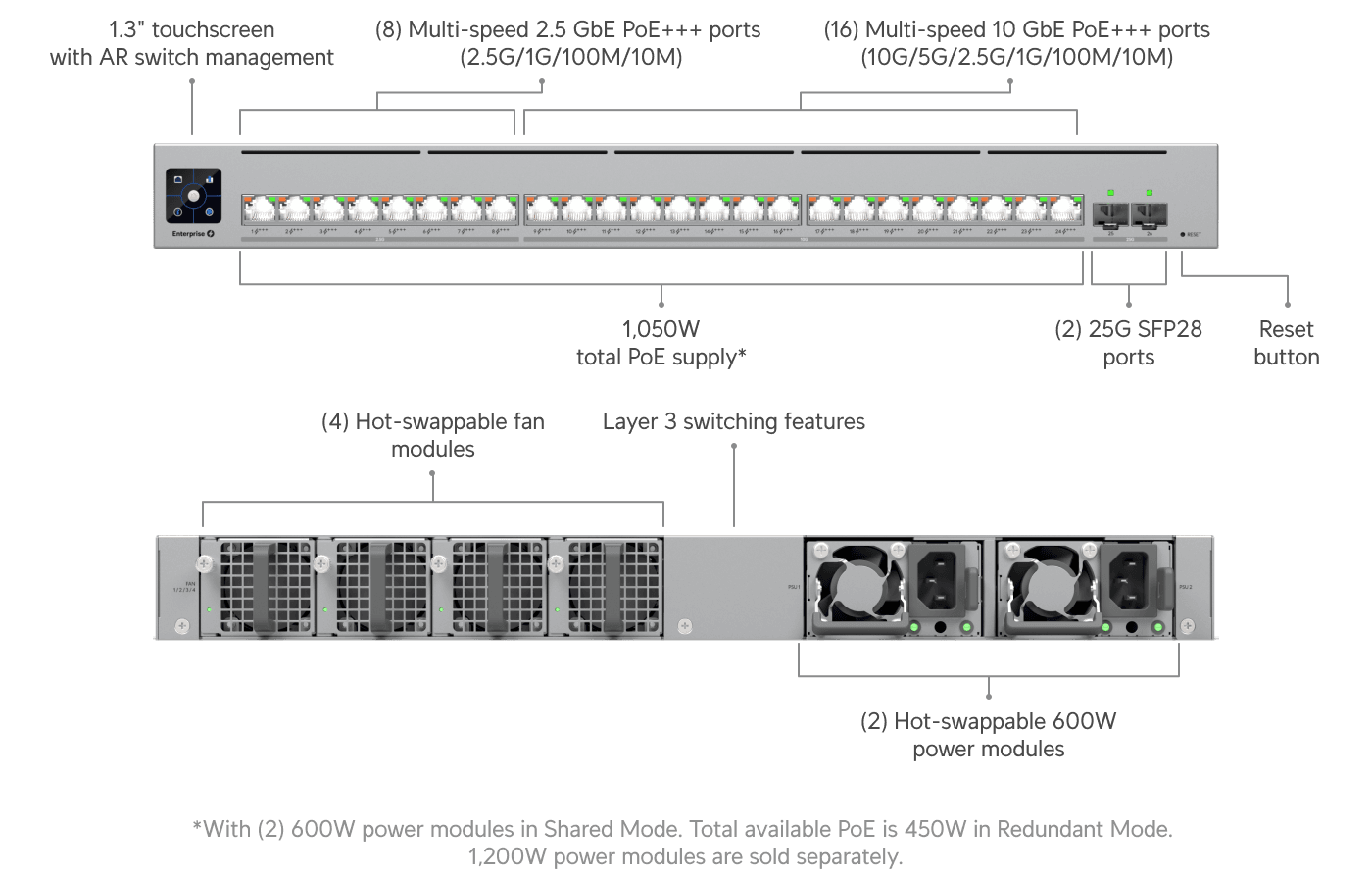
ECS 24 PoE
Enterprise Campus Switch — 24 PoE++ ports, 10G uplinks, for mid-tier installations
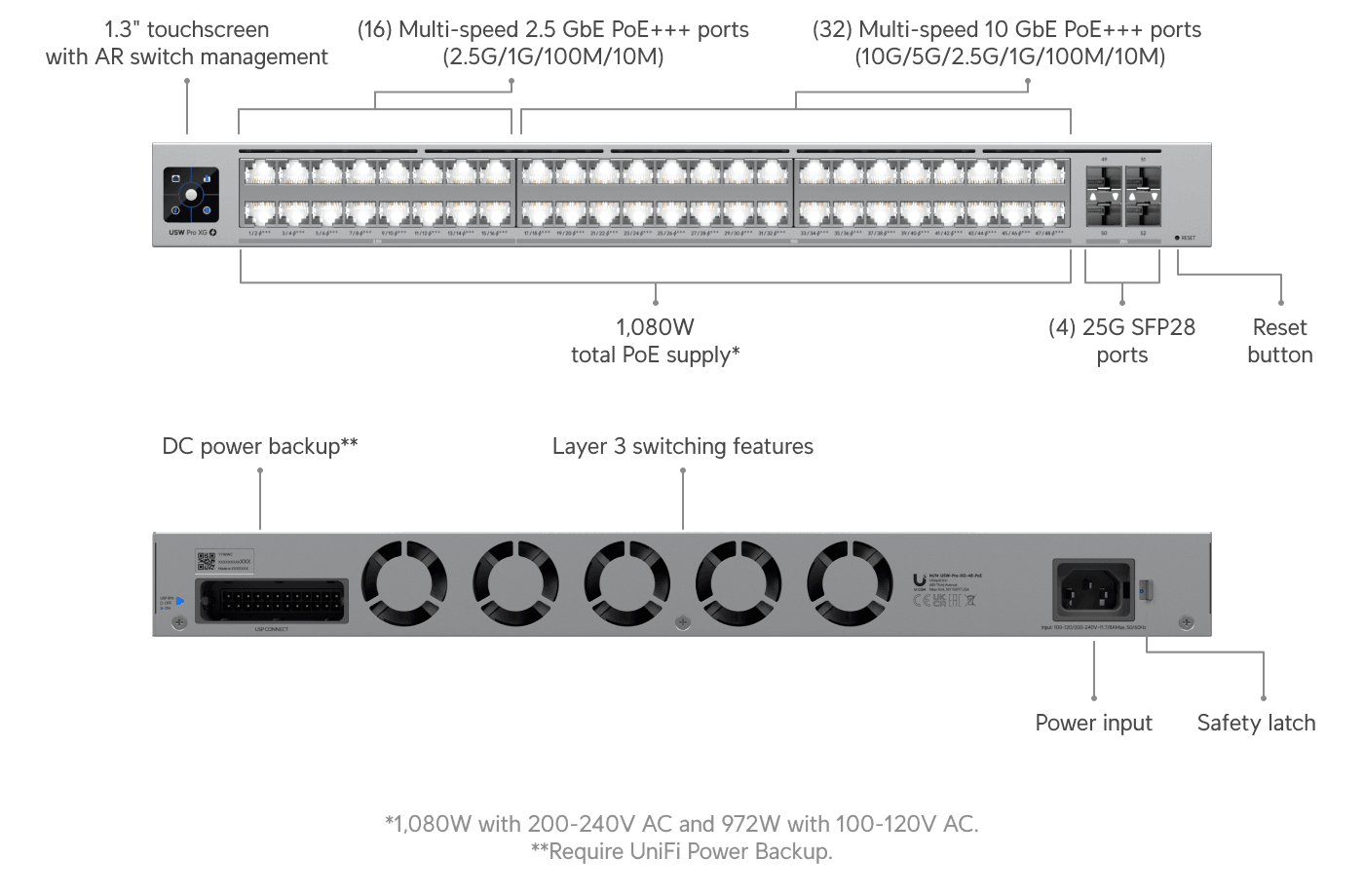
Pro XG 48 PoE
10G SFP+ aggregation switch — full 10GbE backbone for video distribution and AV multicast
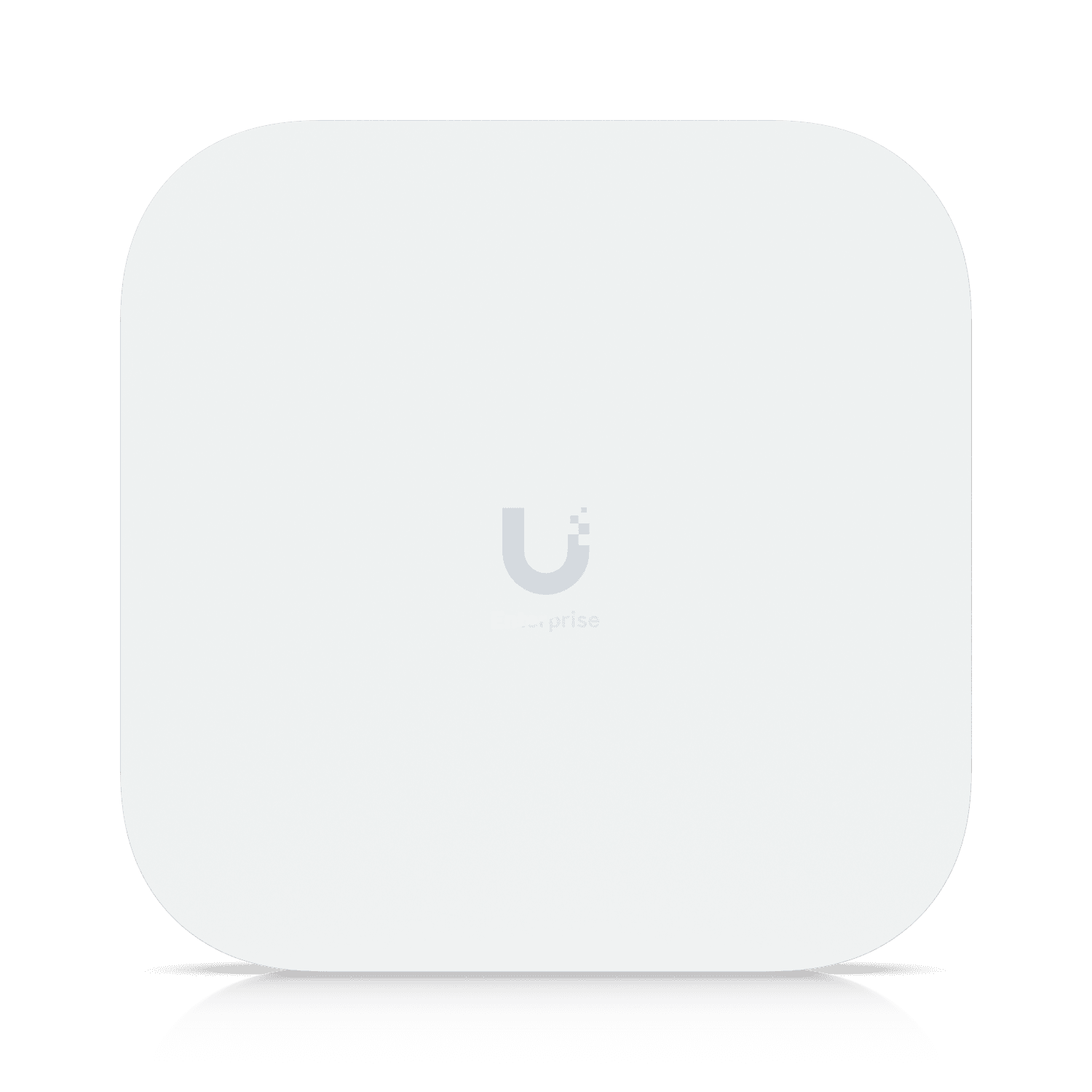
E7 Campus
Flagship enterprise Wi-Fi 7 AP with PRISM — 10 spatial streams, indoor/outdoor
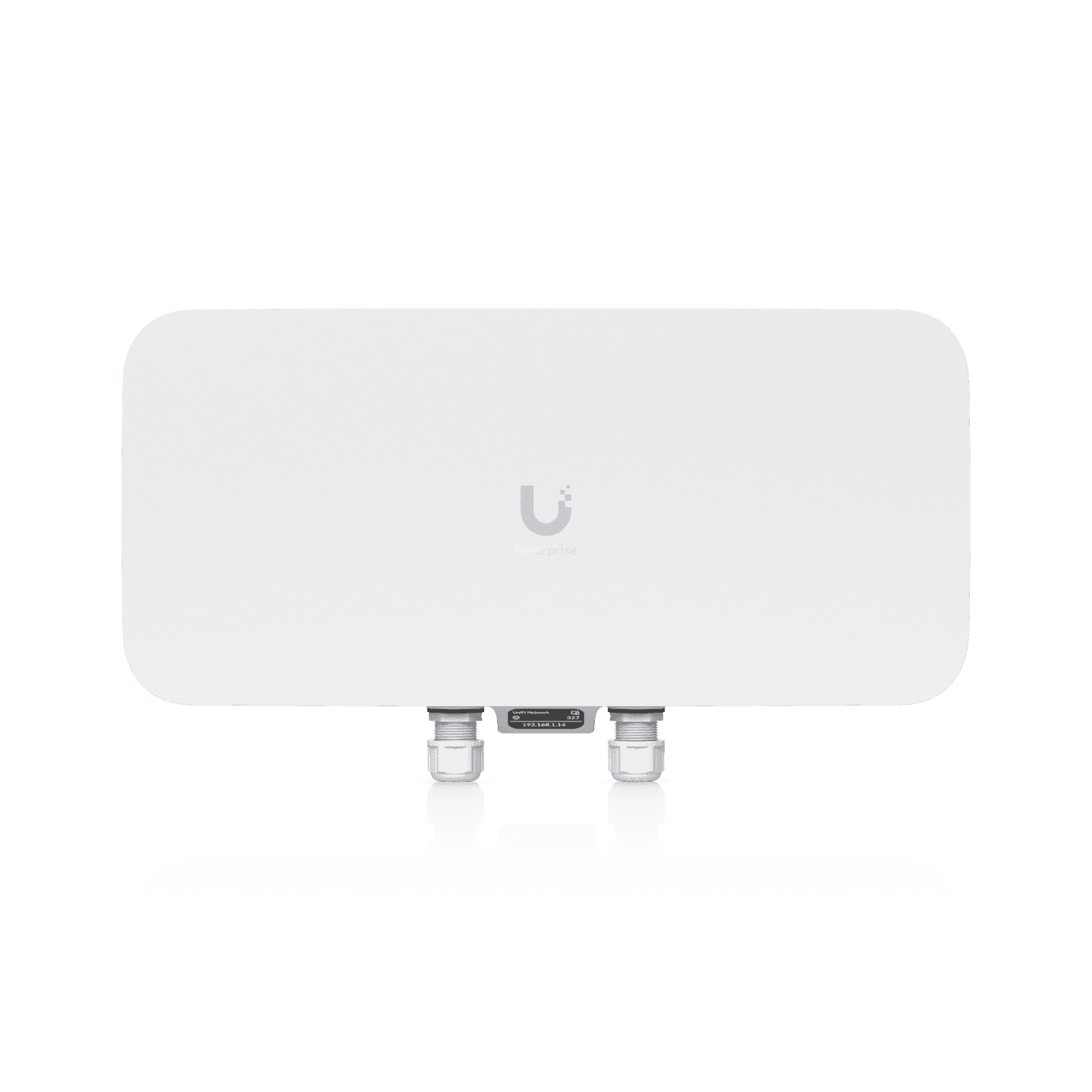
E7 Audience
12-stream high-density Wi-Fi 7 — for the most demanding venue-scale deployments
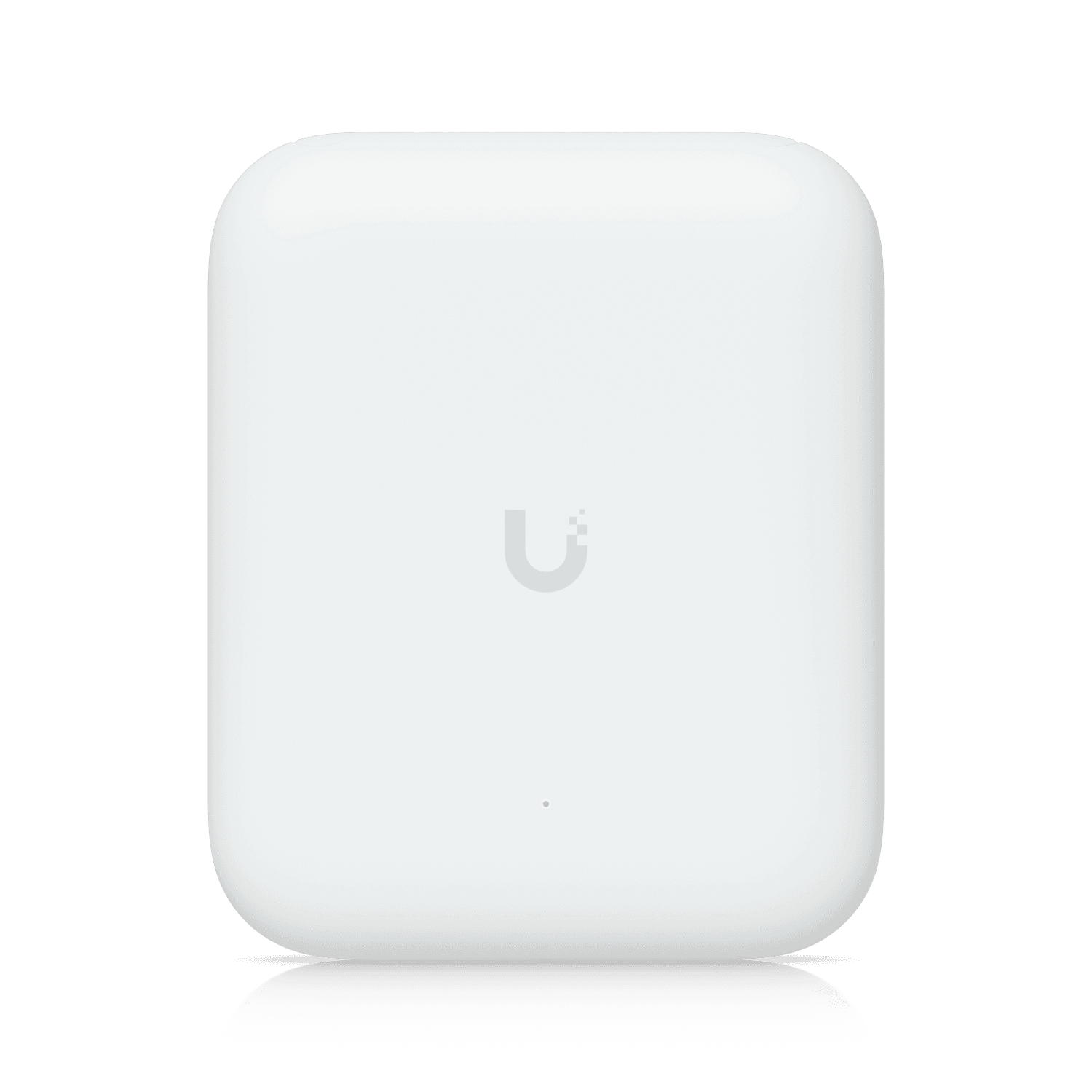
U7 Pro Outdoor
Weatherproof Wi-Fi 7 AP — pool decks, gates, gardens, outbuildings
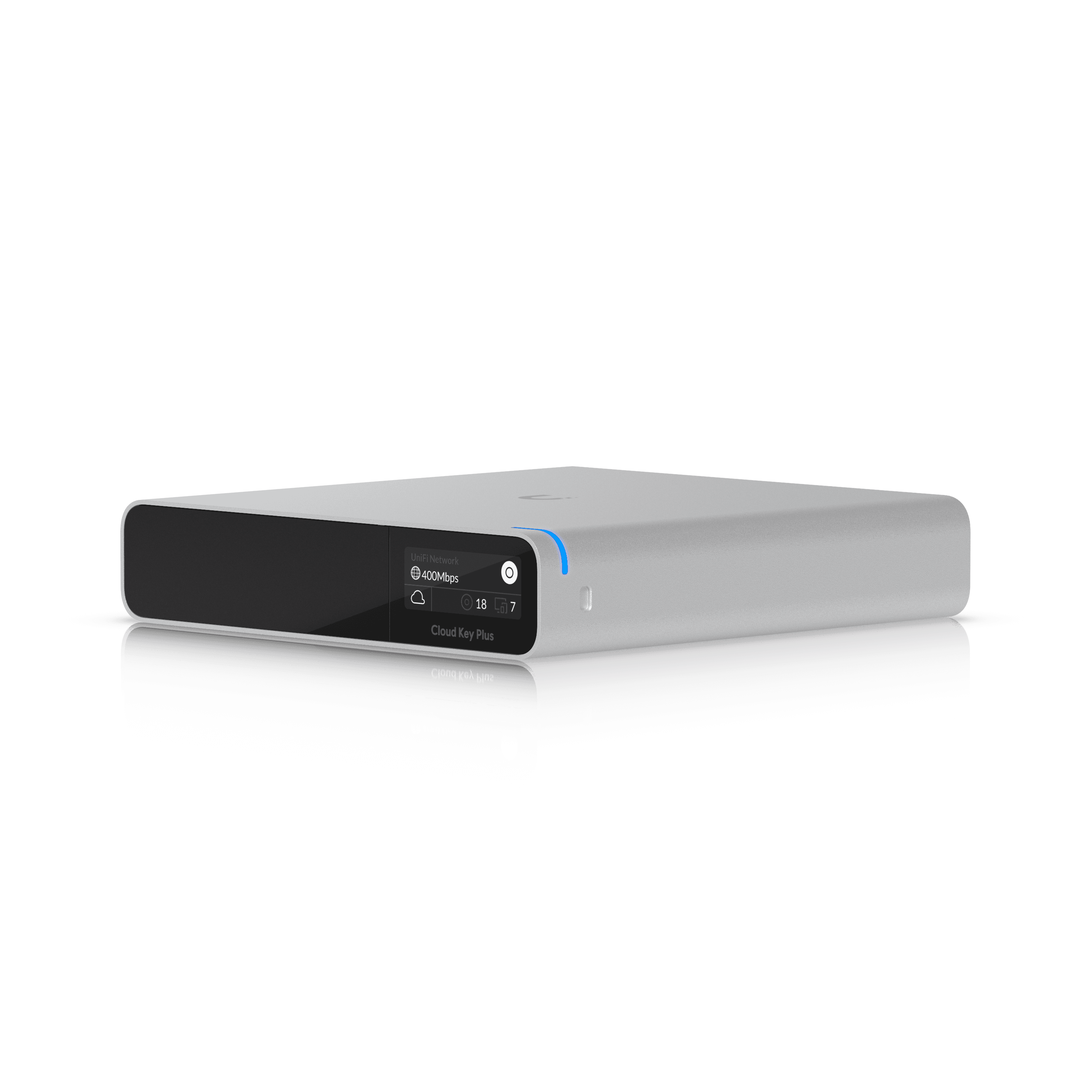
Cloud Key
On-premises controller — runs UniFi Network locally, cloud is an optional secure proxy
Why Consumer Networks Fail Luxury Homes
The network your ISP handed you was designed for a two-bedroom apartment. Not your home.
200+
Devices in a Typical Luxury Home
5x
More Devices than Consumer Routers Support
0
Consumer Routers with True VLAN Isolation
Consumer Routers Hit Device Limits
A modern luxury home runs 150 to 300 connected devices — TVs, AV gear, lighting, cameras, thermostats, tablets, phones. Consumer routers choke somewhere past 50. Real enterprise gear is the only thing that handles the load.
Single-Point Wi-Fi Can't Cover a Whole Home
One router in a utility closet can't cover a 10,000 sq ft estate. You get weak signal, roaming hiccups, and dead zones. Purpose-designed AP placement with dedicated backhaul is the only fix.
No VLANs Means No Security
Without VLANs, your doorbell, robot vacuum, and IoT devices sit on the same network as your laptop and financial data. One compromised device and everything is exposed.
No Cybersecurity Layer
Consumer routers don't run IDS/IPS, don't honeypot threats, and don't block C2 callbacks. Enterprise networks do — quietly, at the edge, before anything reaches your devices.
Consumer vs UniFi Enterprise
Two different worlds. Your home is not a coffee shop.
Consumer Routers
- ✕Consumer routers with device limits — choke past 50 clients.
- ✕Licensed enterprise platforms — Cisco, Meraki, Aruba — rent your own network for life.
- ✕Cloud-locked controllers — the vendor's server decides when you're connected.
- ✕Wi-Fi 5 or 6, no spatial reuse for dense device loads.
- ✕No VLAN isolation — everything shares one flat network.
- ✕Basic firewall, no IDS/IPS, no threat intelligence, no deep inspection.
- ✕Access credentials and logs on someone else's servers.
- ✕Every feature upgrade comes with another subscription tier.
UniFi Enterprise
- ✓Enterprise Fortress Gateway with 10G WAN, IDS/IPS, and deep packet inspection.
- ✓Core local network management does not require a recurring software license. Optional services are quoted separately.
- ✓Cloud is optional — the controller runs on-premises, cloud is a secure proxy.
- ✓Enterprise Wi-Fi 7 with 10G backhaul and outdoor campus coverage.
- ✓VLANs for AV, IoT, Guest, Work, Security — firewall-isolated by default.
- ✓Built-in IDS/IPS, threat feeds, geo-IP blocking, endpoint protection.
- ✓All data stays local. Audit logs, access events, camera feeds — all yours.
- ✓Every feature included. Face recognition, LPR, AI detection — no add-ons.
On the Same Network
UniFi Protect — Cameras, Access, Intercom
Once your network is rebuilt, UniFi Protect slots in on the same gateway. 4K cameras, AI detection, license plate recognition, door access control, and video intercom — all specified alongside the gateway to match your project. Coordinated management, local storage, no subscription fees.
Explore Security & Cameras→Your Upgrade Journey
How It Works
Site Survey & Design
We perform a full Wi-Fi heat map, physically walk the property, inventory every connected device, and design coverage based on real signal data — not guesses. We map AP placement, PoE switch locations, and cable paths.
~ 1 Day On-Site · Engineering Package Delivered Within a Week
Rack Build & Configuration
We assemble your UniFi rack off-site — gateway, PoE switches, patch panel, UPS — and pre-configure every VLAN, firewall rule, and AP adoption. When we arrive, everything is ready to run.
1–2 Weeks · Off-Site Staging
Installation & Commissioning
We install the rack, run cabling to AP locations, mount access points, and commission the UniFi Protect camera system. Every AP is tested for throughput and roaming. VLAN isolation is verified end-to-end.
3–5 Days On-Site · Minimal Disruption
24/7 Remote Monitoring
Your network is enrolled in UniFi Site Manager. We monitor uptime, bandwidth, threat events, and health alerts remotely. If something fails, we usually see it before you do — and can often fix it without dispatching a tech.
Ongoing · Remote Support Included
Survey to activation: 3–5 weeks for most homes.
Emergency turnaround available when the old network has failed.
Why Cave Group
What You Get
UniFi Authorized Professional
Cave Group is a UniFi Authorized Professional — Ubiquiti's top-tier designation for integrators who design, install, and maintain enterprise UniFi deployments at scale.
Site-Wide Wi-Fi Heat Mapping
Every AP placement is informed by a professional Wi-Fi heat map — not guesswork. We survey before we spec, and we verify after install.
VLAN-Segmented by Default
Your network is segmented from day one: Trusted, Guest, AV, IoT, Security, and Work. Firewall rules enforce isolation so a compromised doorbell can't reach your laptop.
UniFi Protect Camera System
4K cameras with local NVR storage, AI person/vehicle/license plate detection, two-way audio, and no monthly subscription fees. Integrated with access control for door events.
Cybersecurity at the Edge
IDS/IPS, threat intelligence feeds, geo-IP blocking, DNS filtering, and SSL inspection — all running on the UDM Pro Max gateway. We harden your perimeter before anything reaches your devices.
Remote Monitoring & Support
Every network we build is enrolled in UniFi Site Manager for 24/7 remote health monitoring. We see outages, threat events, and device failures the moment they happen.
No obligation. Full site survey and design included.
Beyond the Network
We Upgrade the Full UniFi Ecosystem
Residential & Commercial
UniFi Access for Doors
Integrate door access with UniFi Protect cameras and the same UniFi dashboard. NFC, Bluetooth, touch, or card entry — all managed from one pane of glass.
Let's TalkSecurity
UniFi Protect Cameras
Local-storage NVR with AI detection, two-way audio, and full integration with UniFi Access. 4K resolution, no subscription, weatherproof enclosures.
Let's TalkAll Properties
Structured Cabling
New CAT6A or fiber runs for PoE cameras, APs, and AV gear. We work with your GC, electrician, and millwork team to stay invisible and on schedule.
Let's Talk